
Rhythm Rush - Piano Music Game
Boom Studio LimitedMusic
4.4860.00 Reviews
- Version
- 1.9.23
- Installs
- 10.00M
- Age Rating
- Everyone
Screenshots
Our Review of Rhythm Rush - Piano Music Game
 Analysis by Appyee
My first practical question with a free rhythm game is how much it asks me to spend once I’m past the opening songs. Rhythm Rush - Piano Music Game is free to download, but it offers in-app purchases priced from $0.49 to $75.88 per item. That range is worth knowing before you settle in for a long session: free entry does not mean every optional purchase will feel equally small. I’d start by playing without buying anything and decide whether the core tapping loop is enjoyable enough to justify spending.
What the purchase range means for a casual player
The listed purchase range tells me that optional spending can vary considerably, but it does not tell me what each item contains or whether any purchase is needed to make progress. I wouldn’t assume the higher-priced option is necessary, or that the cheapest one unlocks a particular song or benefit. If you’re managing a budget, treat every purchase as a separate decision and check the in-game description carefully before confirming it.
That distinction matters in music games, where a tempting track, a visual extra, or a shortcut can feel more appealing when you’ve just missed a note. My own rule would be to avoid purchasing in the heat of a difficult run. Play a few sessions first, see what the free experience gives you, and only spend when you can name what you want and why it improves your enjoyment.
Progress without turning every miss into pressure
The appeal of a falling-note format is immediate: watch the incoming pattern, listen for the beat, and make a quick, deliberate tap. The challenge comes from keeping that timing steady as the sequences become more demanding. I find it more useful to treat a miss as feedback than as a reason to chase a better score immediately. A short pause to reset your hands and attention can be more productive than replaying the same passage while frustrated.
For a first session, I’d choose a song that feels comfortable rather than the one that looks most impressive. That gives you room to learn how the visuals line up with the audio and how quickly the notes arrive. Once your timing feels reliable, increase the challenge. If the game offers the practice mode described in the original experience, use it to focus on a difficult section rather than repeatedly restarting a whole track; just remember that the availability of a particular mode or control can depend on what the current build presents.
There is a useful everyday distinction here: a rhythm game can be a quick break, but it also demands attention. I would not open it while walking, crossing a street, or doing anything else that needs your eyes and hands. It suits a brief, seated pause far better than a background activity, because even a few seconds of distraction can spoil the timing and make a run feel harder than it really is.
Fairness, competition, and what I would check
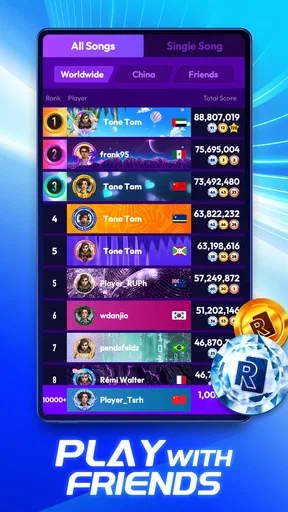
Leaderboards can make a simple tapping game feel more involving, especially if you enjoy comparing a personal best with other players. But a score table is only useful if you understand what it is measuring. Before treating a ranking as a fair test, I’d look at whether it compares the same song and difficulty, and whether the game explains how scores are calculated. I would not assume that every player is competing under identical conditions just because their results appear together.
The same care applies to purchases. The known price range establishes that spending is possible, but it does not establish that paying improves a score, grants a competitive advantage, or is required to access a particular challenge. I’d separate the enjoyment of playing from the urge to climb a leaderboard: first learn the track and build consistency, then decide whether competition adds fun rather than pressure.
If you’re choosing a game for a child, the content rating is Everyone, which makes the intended audience broad. Still, I’d review the purchase prompts together and use the device’s purchase controls if you want to prevent accidental spending. A general age rating is not a substitute for checking how a particular person responds to rapid feedback, repeated attempts, and optional purchases.
What remains unclear before spending
Some purchase decisions depend on details that aren’t established here, including exactly what each item unlocks and whether paid content changes progression. I would check the item descriptions inside the game rather than rely on assumptions or on another player’s experience. If the description does not make the benefit clear, waiting is the sensible choice.
I’d also avoid treating a high score as proof that a purchase is worthwhile. The more useful test is whether you enjoy the songs and the act of matching their patterns, even when you are not topping a board. If that basic loop does not click, additional spending is unlikely to fix the mismatch; another music game with a different control style or a more relaxed pace may be a better fit.
Getting Started with Rhythm Rush
First things first, downloading Rhythm Rush - Piano Music Game is a breeze. It’s available on both Android and iOS, making it super accessible. Once installed, the app welcomes you with a sleek interface that’s easy on the eyes. The design is modern and intuitive, ensuring you won't feel lost even if you’re a first-time rhythm gamer.
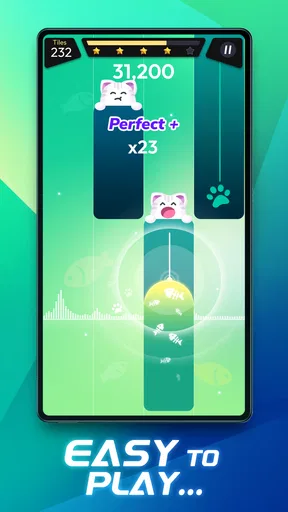
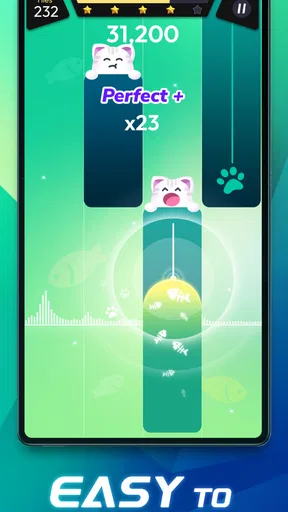
Upon launching, you’re greeted with a brief tutorial that walks you through the basics. It’s straightforward and gets you into the action without any fuss. The game’s premise is simple: tap along to the notes as they cascade down the screen, matching the rhythm of the music. Sounds easy, right? Well, prepare to be challenged!
The Gameplay Experience
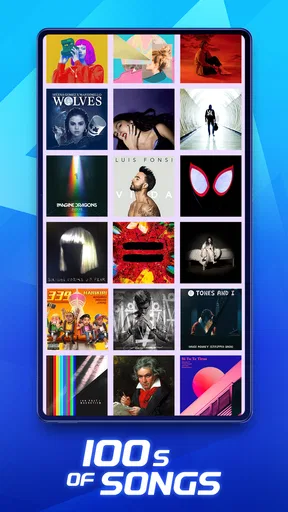
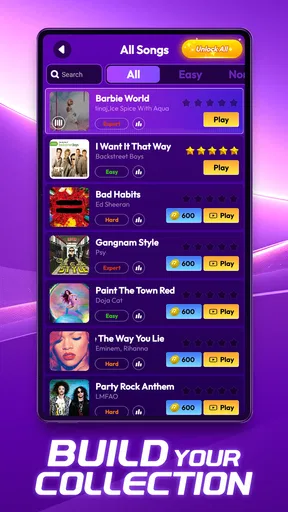
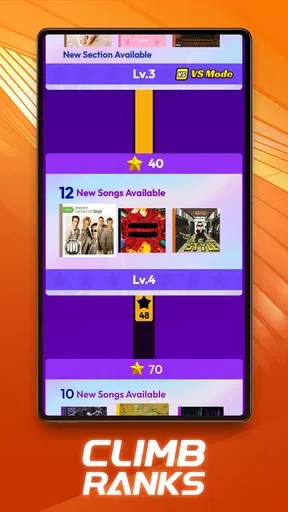
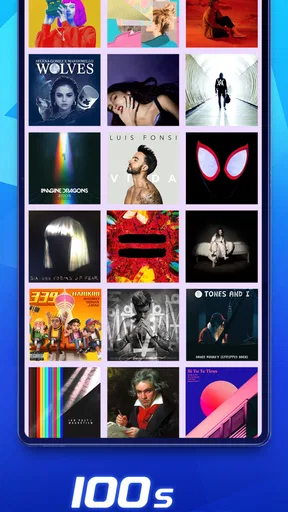
Once you start playing, the real fun begins. The app offers a wide variety of songs to choose from, spanning different genres to keep things fresh and exciting. Whether you’re into pop, classical, or something in between, there’s something here for everyone. Each song is meticulously crafted to provide a unique rhythm experience.
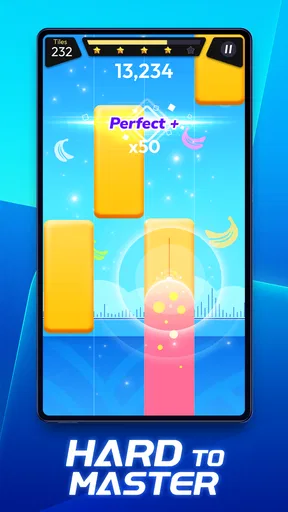
As you progress, the difficulty ramps up, demanding precision and timing. Trust me, nailing those complex sequences is incredibly satisfying. The game is designed to test your reflexes and improve your hand-eye coordination, all while keeping you entertained. If you’re competitive, you’ll love the leaderboard feature where you can compare scores with friends or players worldwide.
Features that Stand Out
What makes Rhythm Rush stand out from the crowd? For starters, the app has a fantastic song library. It’s regularly updated, ensuring there’s always new content to explore. Plus, the sound quality is top-notch, making every track feel immersive and engaging.
Another noteworthy feature is the customization options. You can personalize the game interface to suit your style, and even choose different themes and backgrounds. This adds a nice touch to the overall experience, making the game feel uniquely yours.
The app also includes a practice mode. This is a lifesaver for beginners or anyone struggling with a particular track. It allows you to slow down a song and focus on tricky sections, helping you improve at your own pace.
Making a short session count
For a realistic after-work or between-errands routine, I’d set aside a few quiet minutes, pick one track, and decide on a small goal before starting: finish cleanly, improve a troublesome passage, or simply enjoy the song. That keeps the game from turning into an endless score chase. If a sequence keeps tripping you up, return to it when you’re rested instead of tapping harder or faster; rhythm depends on timing, not force.
One practical trade-off with screen-based rhythm play is that the soundtrack and the falling notes both compete for attention. Headphones can make it easier to focus on the beat in a noisy room, while a lower volume is sensible if you’re playing somewhere shared. I’d also keep the screen comfortably visible and avoid trying to play one-handed while multitasking. The game’s simple controls may be easy to understand, but accuracy still benefits from a deliberate setup.
Who will enjoy it—and who may prefer another style
I’d recommend this game to someone who likes short, active music challenges and wants a direct connection between listening and tapping. It can also suit a beginner who wants an uncomplicated entry into rhythm games: the basic idea is easy to grasp, while tougher sequences leave room to improve. Boom Studio Limited is the developer, and the game has a 4.6 average from around 26,000 ratings, with more than 10 million installs. Those figures suggest it has reached a large audience, though they can’t tell you whether its particular songs and pacing match your taste.
If you prefer building a melody note by note, composing, or playing an instrument with more control over pitch, this is not a substitute for a music-making or piano-learning app. Its central pleasure is reacting to a visual rhythm, not developing musical technique in the same way a lesson tool would. Likewise, if you want a slow, forgiving experience with little pressure to react, a relaxed puzzle or listening-focused music app may suit you better.
Compared with rhythm games built around more elaborate lane patterns or instrument-like controls, the falling-note approach is easier to read at a glance and quick to learn. The trade-off is that repeated tapping can feel narrow if you want deeper musical expression or a more varied physical challenge. I’d choose it for accessible, beat-focused play rather than expecting a full simulation or a structured course.
Compatibility and a sensible first try
The current version is 1.9.23, and the stated minimum Android requirement is 6.0. If you’re on Android, checking that requirement before installing is a simple way to avoid wasting time. The game is also available on iOS. It is free, rated Everyone, and was released on May 31, 2023; for an initial test, I’d install it, try several songs, and see whether the timing feels comfortable before considering any optional purchase.
One question many players have is whether they can enjoy it without paying. Since downloading is free and purchases are optional in the sense that they are in-app purchases, it is reasonable to begin without spending; the exact boundaries of free content should be checked in the game itself. Another is whether it works for a quick break: the tap-based premise makes a short session plausible, but more demanding patterns call for focused attention rather than casual background play.
If you’re wondering whether it is suitable for a new rhythm-game player, the basic tutorial and straightforward premise give newcomers a starting point. The increasing difficulty may still take practice, so I wouldn’t judge your ability from one frustrating song. And if you’re mainly interested in competing, treat the leaderboard as an extra rather than the whole reason to play: the most satisfying improvement is often learning a pattern at your own pace.
Final Thoughts
All in all, Rhythm Rush - Piano Music Game is a delightful mix of challenge and fun. It’s one of those games that’s easy to pick up but hard to master, offering endless hours of entertainment. Whether you’re a seasoned rhythm game veteran or a curious newbie, this app has something to offer.
If you’re ready to tap into the beat and challenge your musical instincts, I highly recommend giving this app a try. It’s a perfect way to unwind and indulge in some melodic fun. So, what are you waiting for? Get ready to embark on a musical adventure and see if you have what it takes to conquer those rhythms!
My trust verdict
My recommendation comes with a practical boundary: try the free experience first, keep purchases deliberate, and judge the game by whether its timing and song selection make you want to return. The broad audience rating and large player base are reassuring signs of reach, not guarantees that every player will like it. I’d trust my own first few sessions more than a leaderboard position or a purchase prompt.
For a low-commitment way to test whether tapping along to music is your kind of game, it is an easy one to sample. I’d skip it if I were looking for lessons, creative music tools, or competition whose rules and purchase effects I could assess clearly before joining. For everyone else, a few focused rounds are enough to find out whether the beat feels like a satisfying break or just another thing demanding quick reactions.
Verdict
Strengths of Rhythm Rush - Piano Music Game
- Intuitive controls make gameplay easy.
- Wide variety of popular songs available.
- Engaging visual effects enhance experience.
- Regular updates with new tracks.
- Offline mode for on-the-go play.
Limitations of Rhythm Rush - Piano Music Game
- In-app purchases can be costly.
- Ads can interrupt gameplay.
- Limited customization options.
- Some tracks are locked initially.
- Requires internet for leaderboard updates.
Other Releases by Boom Studio Limited
View All
Rhythm Tiles : Piano Game
Music4.5
Similar Picks in This Category
View All
Tiles Hop Music & Ball Game
AMANOTES PTE. LTD.4.3

Magic Tiles 3™ - Piano Game
AMANOTES PTE. LTD.4.6

Real Piano
Bilkon3.7

Piano Game: Classic Music Song
Dream Tiles Piano Game Studio4.0

Smash Colors: Music Ball Rush
BADSNOWBALL HONGKONG LIMITED4.2

Piano Music Go-EDM Piano Games
Joy Journey Music Games4.5
Frequently Asked Questions
What is Rhythm Rush - Piano Music Game?
Rhythm Rush - Piano Music Game is an engaging mobile app that combines the excitement of rhythm-based gameplay with the soothing sounds of piano music. Designed for both Android and iOS, it challenges players to tap along with the rhythm of popular songs, improving their timing and coordination.
Do I need an internet connection to play the game?
Rhythm Rush - Piano Music Game can be played offline, allowing you to enjoy its features without an internet connection. However, certain updates, song downloads, and online leaderboards may require internet access to enhance your gaming experience.
Is Rhythm Rush suitable for all age groups?
Yes, Rhythm Rush is designed to be accessible for players of all ages. The game includes various difficulty levels, making it enjoyable for beginners and seasoned rhythm game enthusiasts alike. It’s a family-friendly app that encourages musical engagement and skill development.
Are there in-app purchases available in Rhythm Rush?
Rhythm Rush offers in-app purchases that allow players to unlock additional songs, themes, and special features. While the base game is free, these purchases can enhance your experience by expanding the music library and customizing gameplay elements.
What type of music is featured in the game?
Rhythm Rush features a diverse selection of piano music, ranging from classical pieces to contemporary hits. The game frequently updates its song library, providing players with a wide variety of tracks to enjoy and master, catering to different musical tastes.
Play our best games!


